Updating R/R-Studio
“Why update R and R-Studio? I took a course using them last semester”
With the advent of AI, many of the packages we use in R-studio have undergone huge updates. Just as you can’t play a PlayStation-5 game on a PlayStation 2, you often can’t run those packages on an old version of R. This can cause really weird errors.
In our case, I don’t have a TA and there are 50 of you. So if half of you are on an old version of R and half are on a new version, it’s really hard for me to tell if an error is because you are on an old version of R or if there is something else going on. If everyone is running the same version, life is MUCH easier all around.
So if you already have R, treat this as an exercise in how easy it is to update and to get in the routine of good programming practice. And because if you get stuck and you’re using an old version of R or R-Studio, I’m not going to help you debug until you update, so you may as well…
And you get homework credit for it!
How to update?
R AND RStudio need to be updated and you do that exactly the same way as installing for the first time. It will automatically overwrite.
So go to Installing R/R-Studio on your computer and follow the instructions exactly.
0.1.1 Then update your packages.
We ALSO need to update the packages you have. So once you are done, make sure you are connected to the internet, then open RStudio and click “Update/Update all”. Go for a coffee.
R might also need to re-install some packages, so don’t panic if you see the little yellow “install banner”, just click yes.
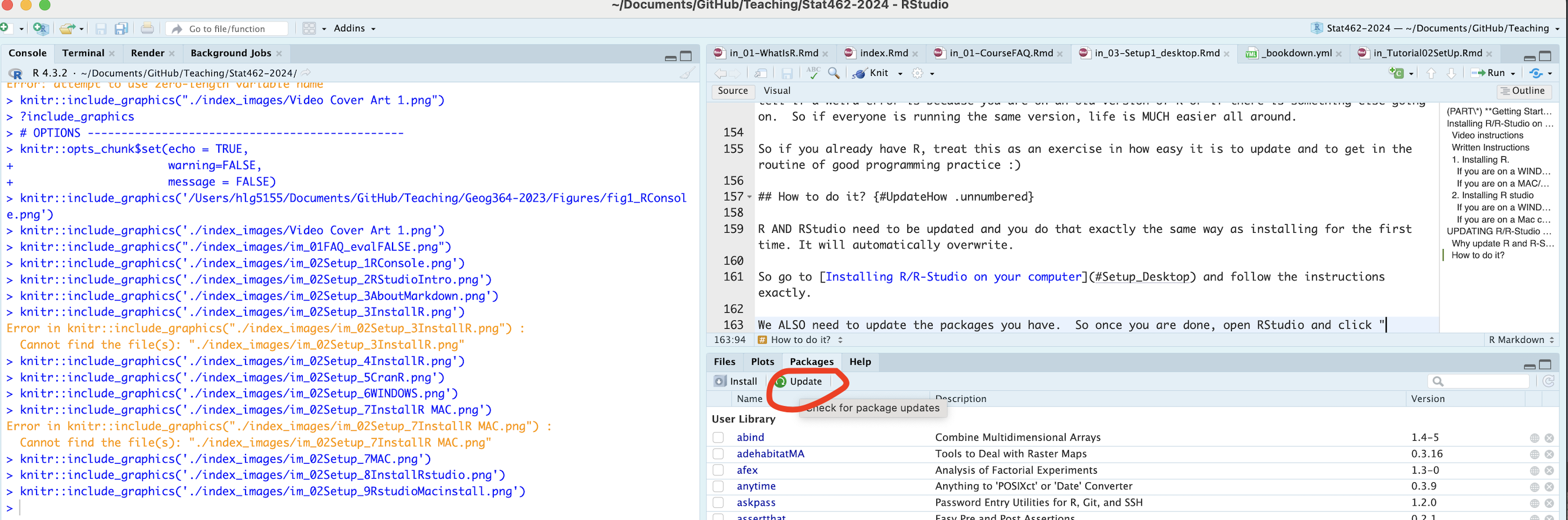
Figure 0.3: Click this to update the packages