1 Creating a new project

- If it’s not already open, open R-Studio
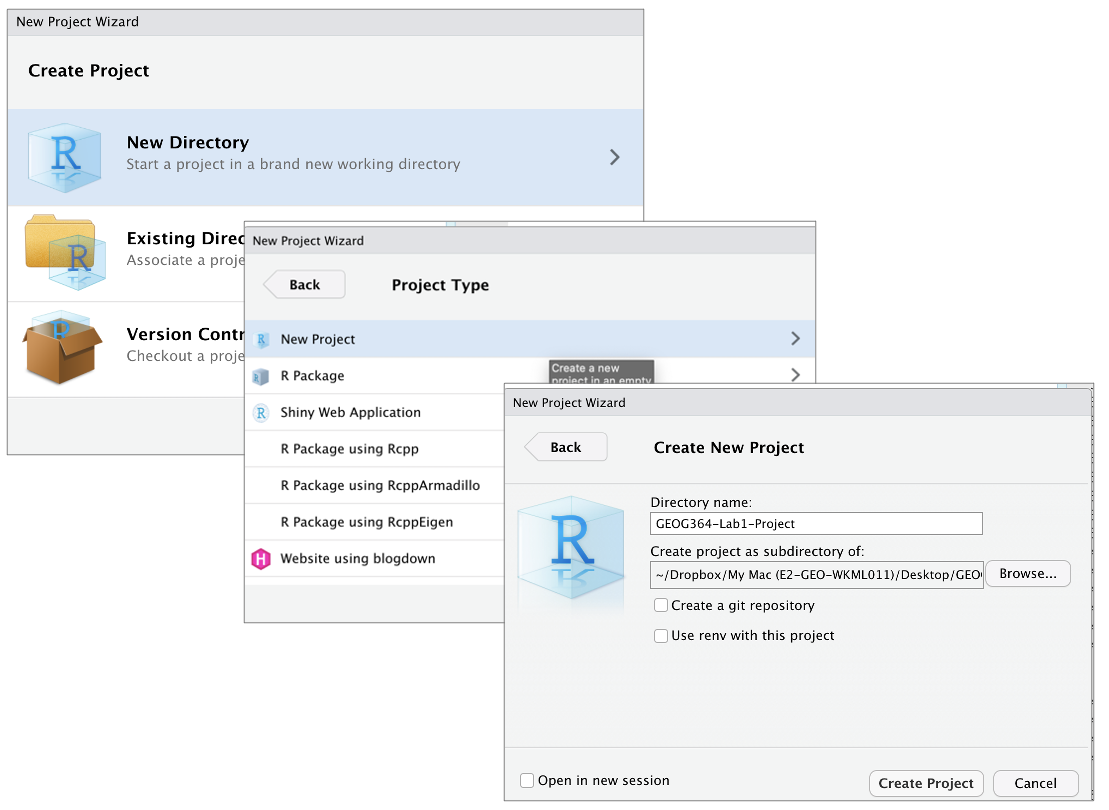
- Go to the File menu at the very top and click
New Project. - Select
New Directory, thenNew Project. - Name your project after your lab .
- Under “create project as a subdirectory of”, hit the browse button
and go inside your GEOG-364 main folder (you just need to be in the
folder, you don’t need to have selected anything). Press open.
- Finally, press
Create Project,
2 How do I know it’s worked?
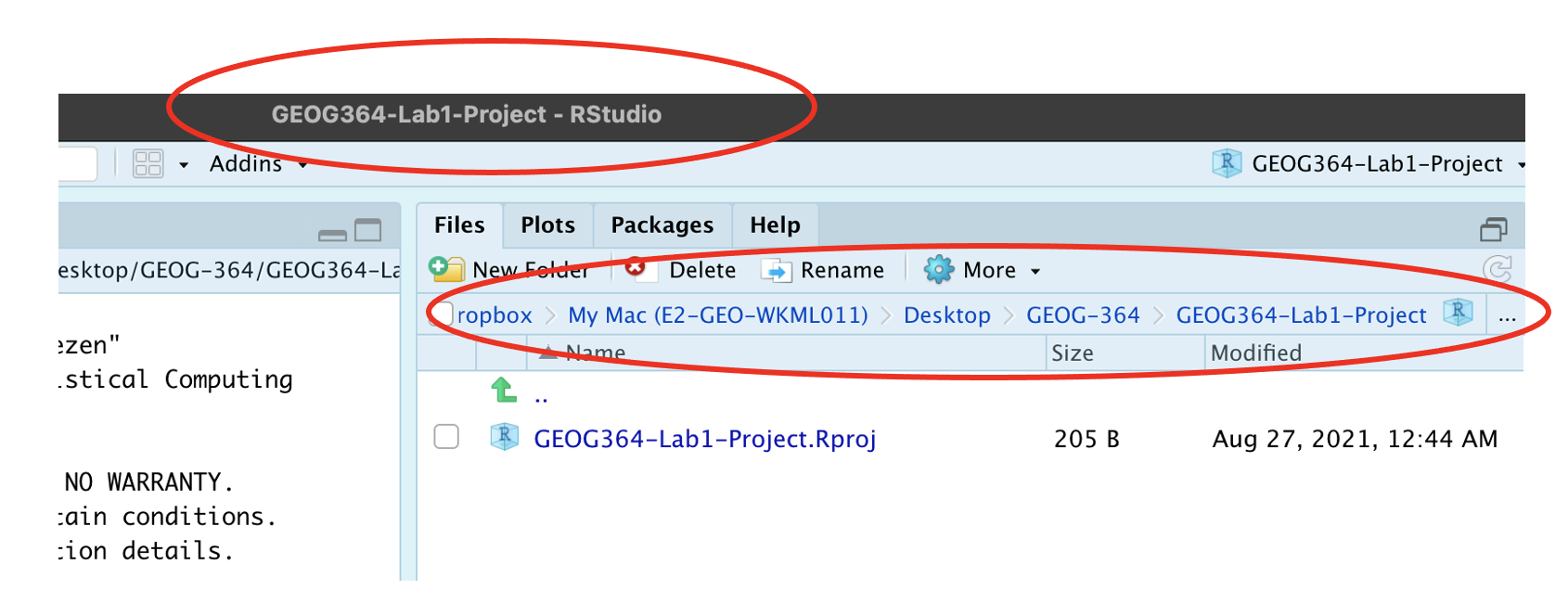
R will change slightly.
- If you look at the top of the screen in the title bar, it should say
Lab1-Project R Studio.
- The Files tab should have gone to your project folder. Essentially,
R-Studio is now “looking” inside your Lab 1 folder, making it easier to
find your data and output your results.
3 Returning to your lab project
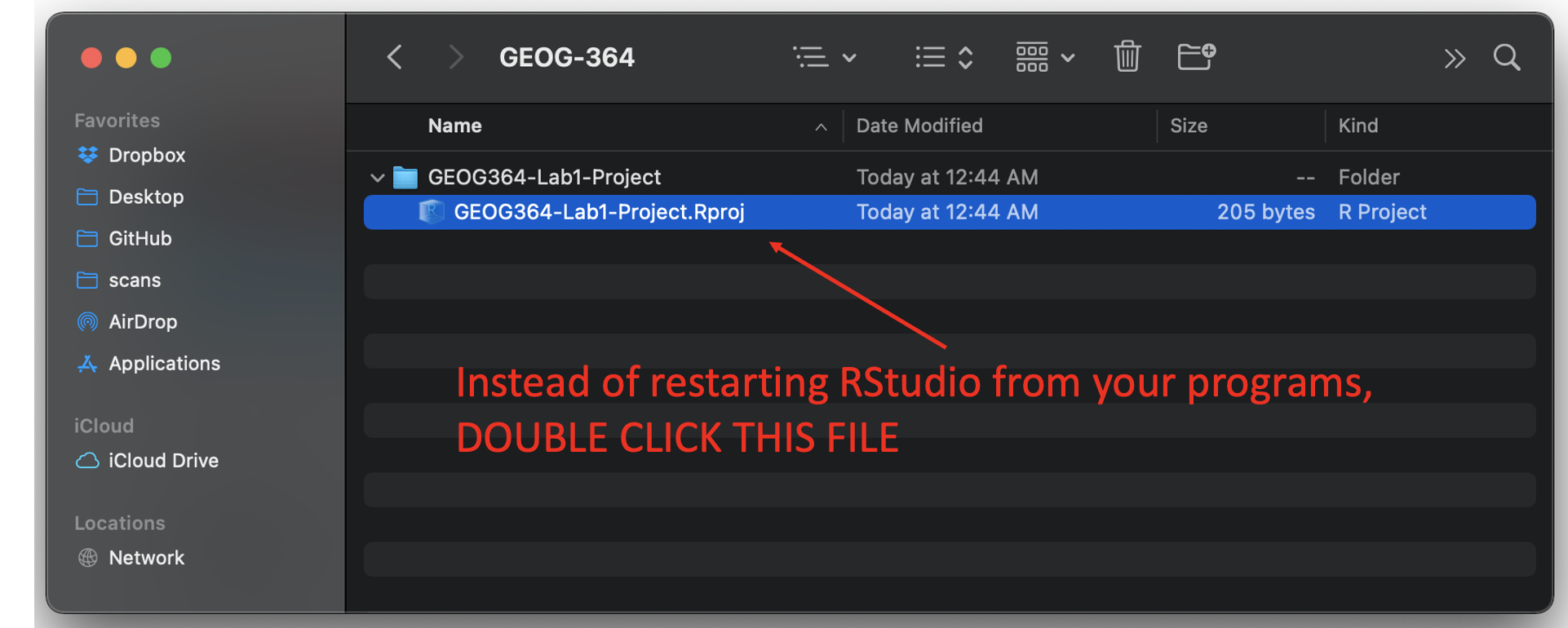
- On your computer, find your GEOG-364 folder and go to the
lab you want.
- Double click on the file with the extension
.RProj.